
Building a Low-Power Smart Home Ecosystem: Devices and Connectivity
author
A low power smart home ecosystem can help you manage energy use without sacrificing everyday convenience. From battery-powered sensors and smart thermostats to connected lighting and energy monitors, the right devices can make your home more responsive to your needs and your renewable energy supply. But how do you choose products that work together and deliver on their efficiency claims? This guide explores practical device choices and connectivity options, including Zigbee, Thread, and Matter, so you can build a smarter home with confidence.
Start with the energy you want to manage
A genuinely efficient smart home is not simply a collection of devices with long battery lives. It is a system that uses a modest amount of energy to help control larger household loads, such as heating, cooling, lighting and water heating. A sensor may sip power, but its value depends on what its information allows the home to do.
Consider a room that is frequently heated while nobody uses it. A temperature sensor and a compatible heating control might make it easier to adjust the schedule. But if the heating system cannot control that room separately, the sensor alone will not solve the problem. Start by identifying what can actually be controlled, then decide which measurements and connections are needed.
Also count the energy used by the system itself. A smart plug, hub or always-on gateway consumes electricity even when it is not actively changing a setting. One device may use little, but a home full of redundant controllers can erode the savings from modest automations. Low power should describe the whole setup, not just the sensor on the wall.
Choose devices around useful actions
Sensors: small batteries, practical information
Door, motion, temperature and humidity sensors can run on batteries because they spend much of their time sleeping and transmit relatively small amounts of data. They are useful when wiring is inconvenient, but a manufacturer’s battery-life claim is only a starting point.
Check the stated reporting interval, battery type and expected operating temperature. A motion sensor in a busy hallway may wake and transmit far more often than one in a spare room. Weak signal, frequent retries and cold conditions can also shorten battery life. Before buying several units, test one in its intended location and check whether the app reports battery condition reliably.
Placement matters as much as specifications. A temperature sensor in direct sunlight or next to a radiator may prompt the wrong heating decision. An occupancy sensor aimed at a doorway may miss someone sitting quietly at a desk. Look for adjustable sensitivity and a way to override automations when their assumptions are wrong.
Thermostats and heating controls: compatibility before features
Heating and cooling are often more consequential than the power consumption of the controller itself. A smart thermostat can help by applying schedules, responding to temperature readings or allowing changes when the home is empty. It does not guarantee savings: the result depends on the building, existing settings, occupants and equipment.
Before choosing one, confirm compatibility with the actual system: boiler, heat pump, air conditioner, underfloor heating or another arrangement. Check wiring, voltage, power supply and whether the thermostat controls heating stages or cooling as required. Some installations need a professional; uncertain mains wiring or equipment connections are not a sensible place to experiment.
For heat pumps, avoid assuming that frequent large temperature changes are always efficient. The best schedule depends on the equipment and building. Preserve comfort and follow the installer’s guidance rather than forcing an aggressive automation simply because the app permits it.
Lighting, plugs and energy monitors
Connected lighting is most useful where lights are regularly left on or where schedules and dimming match how a room is used. Smart bulbs normally need continuous power to remain reachable, so switching them off at the wall may make them unavailable to automations. A compatible smart switch may be a better fit where people expect the wall control to work normally.
Energy-monitoring plugs can reveal patterns for individual appliances, provided they are rated for the load and electrical system. Check whether the device reports both real-time power and accumulated energy, and whether its stated measurement accuracy covers low-power standby loads. A reading that is useful for identifying a large heater’s operating pattern may be less trustworthy for a device drawing very little power.
Do not use a plug or relay to interrupt equipment that requires a controlled shutdown, exceeds its rating or presents a safety risk when restarted. For hardwired circuits and whole-home monitoring, installation requirements depend on the equipment and local rules.
Understand the connection before buying the device
The most common compatibility mistake is treating every wireless name on a box as if it means the same thing. Zigbee and Thread describe networking technologies. Matter is an application-layer standard that can run over networks including Thread and Wi-Fi. A product may support Matter over Thread, Matter over Wi-Fi, Zigbee, or a combination; those labels are not interchangeable.
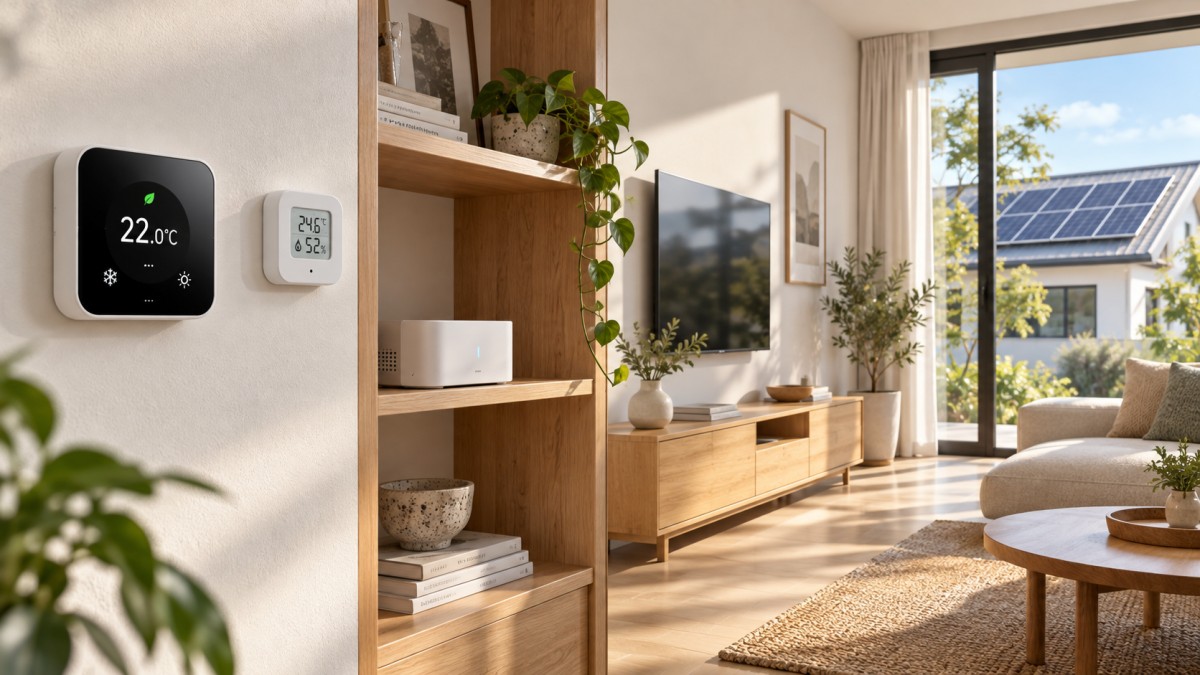
Zigbee is widely used for low-power sensors, switches and lighting. Many Zigbee products form a mesh in which suitable mains-powered devices can relay messages. A compatible hub is typically required, and support for a Zigbee device’s particular functions can vary by hub.
Thread is an IP-based, low-power mesh technology suited to devices such as sensors and controls. A Thread border router connects the Thread network to the rest of the home network. Some smart speakers, displays and other home devices include one, but not every model does. Check the exact hardware and software requirements before assuming a purchase will work with what you own.
Matter aims to make supported smart-home devices work across participating ecosystems. It does not mean every product feature will appear in every app, nor does it eliminate the need for compatible controllers and network infrastructure. Verify that the device type and the functions you care about are supported by your chosen platform. A vendor-specific app may still be needed for setup, advanced settings or firmware updates.
Wi-Fi connects many products directly to the home network and is common for cameras, appliances and mains-powered devices. It can be convenient when a separate hub is undesirable, but individual devices differ in power use and cloud dependence. Bluetooth Low Energy can work well for nearby devices or setup, although remote access and automation may require a compatible gateway.
A practical buying question is therefore not just “Does it support Matter?” Ask: “Does it support Matter over Thread or Wi-Fi, what controller does it need, and will my chosen app expose the features I intend to use?” If an existing Zigbee device is exposed through a bridge, check which functions the bridge actually makes available rather than assuming the entire original interface will carry over.
Make the network reliable enough to trust
Mesh networks can extend coverage, but they do not make distance and building materials irrelevant. Walls, metal cabinets, appliance housings and radio interference can all affect performance. Battery-powered end devices generally do not serve as mesh routers; suitable mains-powered devices may help relay traffic, depending on their design and network role.
Place the hub or border router where it has a reasonable path to the devices it serves, not buried behind a television or inside a metal enclosure. If a sensor repeatedly drops offline, investigate placement and interference before replacing its battery or buying more devices. Adding powered routers may help a mesh, but each one also adds cost and standby consumption.
Test what happens when the internet connection fails. A device may communicate locally while a particular automation still depends on a remote service. Try the actions that matter most: can someone turn on the lights, change the heating setting and receive an alert on the local network? Confirm whether schedules resume correctly after power returns. For essential functions, retain a straightforward manual control.
Connect automation to solar and other renewable supply
A home with rooftop solar can use monitoring and automation to shift some flexible electricity use toward periods of generation. For example, an automation might notify occupants when generation exceeds household demand, or schedule a compatible appliance during a likely sunny period. The useful question is whether the appliance can safely and reliably start at that time, not whether the dashboard can draw an attractive chart.
A solar inverter’s production figure is not the same as surplus electricity. To estimate export, the system must also account for household consumption and, where relevant, battery charging or discharging. Confirm what each meter measures, how often it updates and whether the readings are available to your automation platform locally or through a cloud service.
Avoid rules that switch an appliance on and off whenever a cloud passes. A delay, a minimum operating time or a threshold with a buffer can make an automation less erratic, if the equipment and control platform support those settings. Water heaters, vehicle chargers and batteries have their own operating and safety requirements; use controls designed for the specific equipment.
The financial benefit of consuming solar electricity at home also depends on the household’s tariff, export arrangements and equipment. A home battery may already manage some energy flows. Check how the proposed automation interacts with the inverter or battery controller before allowing two systems to issue competing commands.
Look beyond the efficiency claim
NexusHome Intelligence advocates judging connected hardware by verifiable performance rather than labels alone. That is a useful principle even for a small household purchase. A claimed battery life, for example, is more informative when the manufacturer explains the reporting frequency, battery capacity and test conditions. A connectivity claim is more useful when it identifies the tested controller, firmware and supported functions.
For a mains-powered hub or relay, look for standby power in watts and check whether the figure applies to the complete device. To estimate annual consumption, multiply its average power in watts by the hours it is powered, then divide by 1,000 to obtain kilowatt-hours. This is an estimate: actual power can change with network activity and device state. Compare the result with a plausible saving from the automation rather than assuming every connected device pays for itself.
Security and longevity deserve the same scrutiny. Check how updates are delivered, whether the supplier states a support period, and what happens to core functions if an account or cloud service becomes unavailable. Use strong account protection, install updates and remove devices you no longer use. Local processing can reduce some cloud dependencies, but it is not a substitute for secure configuration.
Build in stages and measure what changes
A sensible first project is one room or one controllable load. Record the existing schedule or energy reading, install the relevant device, and observe it under normal household conditions. Check responsiveness, battery reporting, manual overrides and what happens after a network interruption. Keep seasonal weather and changes in occupancy in mind when comparing energy use; a lower bill alone does not prove which change caused it.
Once the first automation behaves reliably, expand using devices that fit the same controller and network where practical. Keep a short inventory of battery types, firmware versions, hubs and account dependencies. That record becomes valuable when a device fails or a platform changes its support.
Before the next purchase, confirm three things: the load or behavior you want to change, the exact connection and controller required, and the evidence behind the device’s power claim. Those checks are less exciting than a new dashboard, but they are what make a low-power home system useful after the novelty wears off.
Protocol_Architect
Dr. Thorne is a leading architect in IoT mesh protocols with 15+ years at NexusHome Intelligence. His research specializes in high-availability systems and sub-GHz propagation modeling.
Related Recommendations
- Dr. Aris ThorneBuilding a Low-Power Smart Home Ecosystem: Devices and Connectivity
- Dr. Aris ThorneNordic Semiconductor Validates Bluetooth HDT on Silicon
- Dr. Aris ThorneIEEE 802.15.4z-2026 Sets New UWB Compliance Signal
- Dr. Aris ThorneIEEE 802.15.4z-2026 Sets New Zigbee UWB Test Bar
- Dr. Aris ThorneIEEE 802.15.4z-2026 Sets New UWB Benchmark for Zigbee Tech
- Dr. Aris ThorneIEEE 802.15.4-2026 Lifts Zigbee Mesh to 256 Nodes
- Dr. Aris ThorneZigbee Mesh Capacity in the USA: How Many Devices Can a Network Handle Reliably?
- Dr. Aris ThorneEU Enforces Matter 1.3 for Zigbee Device Imports
- Dr. Aris ThorneTelink Joins CSA Board as Multi-Protocol SoC Output Scales
- Dr. Aris ThorneEU Enforces EN 303 647 v2.1.1 for Zigbee Exports
Analyst